How to link your phone number to your Aadhaar
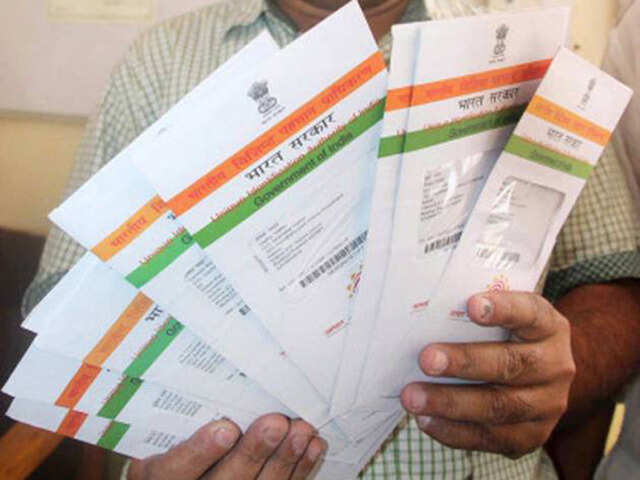
Aadhaar has undoubtedly become a crucial document not only to establish your identity and avail the government's social security schemes but also for financial matters such as filing tax returns and keeping your bank account active.
There are various benefits of linking your mobile number to your Aadhaar. You can e-verify your income tax return using Aadhaar. In this process an OTP is sent to the mobile number linked to your Aadhaar. You can also update personal details linked to your Aadhaar online by using an OTP sent to your mobile. Downloading your e-Aadhaar also requires verification via OTP sent to your linked mobile number. There are other uses of linking your mobile number to Adhar
If you're looking to link your mobile number with Aadhaar, there can be two scenarios:
1. You are linking it for the first time
2. You have changed your phone number and want to update your Aadhaar data by replacing the old number with the new one.
Linking your mobile number to Aadhaar for the first time:
This needs to be done offline. Most online transactions are OTP (one-time-password) authenticated i.e. the OTP is sent to the registered mobile number. Obviously, online authentication is not possible as you are linking your number for the first time. To do this offline you need to follow these steps:
Visit your nearest Aadhaar centre to get the Aadhar Update/Correction Form or download it from the UIDAI website. (Click here to download the form)
Fill out the form correctly; submit it to the concerned person at the centre and mention on the form that only mobile number is to be updated.
While submitting the update form, along with photocopy of your Aadhaar card you also need to provide photocopy of an Identity proof document such as PAN Card, Passport, Voter ID card (Click here for the complete list of supporting documents).
Following the submission your biometrics will be verified at the enrolment centre. Your thumb impression will be verified. While applying for Aadhaar your biometrics were recorded and to authenticate the changes, they are verified.
After verifying the biometrics, you will be given an acknowledgement slip. Usually it takes 2-5 working days for the updation to happen but as per the UIDAI helpline the turnaround time for the updation is 10 days.
Updating your mobile number:
Updating the mobile number can be done online, but make sure that your existing number linked to your Aadhaar, is functional and handy before you go for the online update. This is because the OTP to authenticate the updation would be sent to your existing number. You will be able link your new mobile number with Aadhaar only after submitting the OTP sent on your old number.
On the UIDAI website, there's an option under the Aadhaar Update tab that will redirect the user to the Aadhar Self-Service portal. (Click here to go to the portal directly)
Enter your Aadhar number, and the Captcha text and request for OTP.
The OPT will be sent to your existing mobile number, and after submitting it you'll be redirected to a new page, where you can update the desired details.
Under 'Select field(s) to update', select 'Mobile Number'
Now enter your new mobile number that you want to record in the database and submit.
There are various benefits of linking your mobile number to your Aadhaar. You can e-verify your income tax return using Aadhaar. In this process an OTP is sent to the mobile number linked to your Aadhaar. You can also update personal details linked to your Aadhaar online by using an OTP sent to your mobile. Downloading your e-Aadhaar also requires verification via OTP sent to your linked mobile number. There are other uses of linking your mobile number to Adhar
If you're looking to link your mobile number with Aadhaar, there can be two scenarios:
1. You are linking it for the first time
2. You have changed your phone number and want to update your Aadhaar data by replacing the old number with the new one.
Linking your mobile number to Aadhaar for the first time:
This needs to be done offline. Most online transactions are OTP (one-time-password) authenticated i.e. the OTP is sent to the registered mobile number. Obviously, online authentication is not possible as you are linking your number for the first time. To do this offline you need to follow these steps:
Visit your nearest Aadhaar centre to get the Aadhar Update/Correction Form or download it from the UIDAI website. (Click here to download the form)
Fill out the form correctly; submit it to the concerned person at the centre and mention on the form that only mobile number is to be updated.
While submitting the update form, along with photocopy of your Aadhaar card you also need to provide photocopy of an Identity proof document such as PAN Card, Passport, Voter ID card (Click here for the complete list of supporting documents).
Following the submission your biometrics will be verified at the enrolment centre. Your thumb impression will be verified. While applying for Aadhaar your biometrics were recorded and to authenticate the changes, they are verified.
After verifying the biometrics, you will be given an acknowledgement slip. Usually it takes 2-5 working days for the updation to happen but as per the UIDAI helpline the turnaround time for the updation is 10 days.
Updating your mobile number:
Updating the mobile number can be done online, but make sure that your existing number linked to your Aadhaar, is functional and handy before you go for the online update. This is because the OTP to authenticate the updation would be sent to your existing number. You will be able link your new mobile number with Aadhaar only after submitting the OTP sent on your old number.
On the UIDAI website, there's an option under the Aadhaar Update tab that will redirect the user to the Aadhar Self-Service portal. (Click here to go to the portal directly)
TOP COMMENT George P. Kuruvila Pallattu, 3 hours ago
George P. Kuruvila Pallattu, 3 hours ago
Another formation of a national que like the one as the Note Ban. Great idea....
Enter your Aadhar number, and the Captcha text and request for OTP.
The OPT will be sent to your existing mobile number, and after submitting it you'll be redirected to a new page, where you can update the desired details.
Under 'Select field(s) to update', select 'Mobile Number'
Now enter your new mobile number that you want to record in the database and submit.


